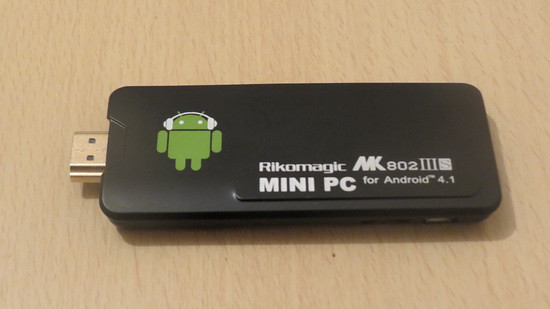
Here we go my dears with the best firmware till now: Android Jelly Bean 4.2.2 rooted with CWM fully functional (WiFi, Bluetooth, Users and more)
In the next post I'll show you how to easily gain root acces on this firmware and how to install CWM. If you ask, I guess this is the best firmware for Rikomagic MK802IIIS Stick for the moment.
Enjoy this new release, share is love!
[Update1] - The easiest way to root Rikomagic MK802IIIS Stick
[Update1] - The easiest way to root Rikomagic MK802IIIS Stick
Always
keep in mind that this is not a review, just a first sight of this
firmware. You have to test it more for another details, to see if it
satisfies your needs.
Salutare !
RăspundețiȘtergereAsteptam si continuarea .....
"In the next post I'll show you how to easily gain root acces on this firmware and how to install CWM."
I saw your demo and you showed the stick playing video from your PC over SMB however even the SD movie you showed stuttered during playback. I experience the same thing which makes the stick not feasible for media streaming. Do you have any solution?
RăspundețiȘtergere@Rob Wortelstok It was only a glitch, I have just installed the firmware :)) The stick is so feasible for media streaming, I used it for this till begining...
RăspundețiȘtergereLooking forward to root this rom, please advise us! Thanks!
RăspundețiȘtergereAcest comentariu a fost eliminat de autor.
RăspundețiȘtergereI just edited the post, so please look above for root and CWM
RăspundețiȘtergere[Update1] - The easiest way to root Rikomagic MK802IIIS Stick
[Update2] - The easiest way to install CWM on Rikomagic MK802IIIS Stick
Device won't boot after flash 4.2.2
RăspundețiȘtergereAny ideas?
MK802IIIS+BT
@Artur Rosado
RăspundețiȘtergereDid you take out the SD card?
Just did it but not booting either.
RăspundețiȘtergereIf i install the stock one, it'l boot again, but with custom and 4.2.2 won' boot
@Artur Rosado
RăspundețiȘtergereTry download again the firmware image.
Try to format the SD card or try with another card.
Strictly follow the steps provided.
Check your TV resolution; after install try the stick on 2-3 different TVs...
Good luck!
is it a must have it inside, i mean the external SD?
RăspundețiȘtergereWell i connected it in another LCD, one i've got in the bedroom and it worked. Although the resolution of the TV's is the same both support 720p only i can't understand why this happends.
RăspundețiȘtergerePlus when i connect it to the leaving room LCD wich is the one in wich the RK won't boot it gives me a momentary black screen as if it would boot but then backs to blue screen again saying "anavailable function"
Any thoughts?
RăspundețiȘtergereSo, connect the stick to your working TV, go to video settings and try different resolutions and refresh rate untill it's working on the other TV....
RăspundețiȘtergerewifi not working on wifi only model :((
RăspundețiȘtergereBecause of different wifi chipsets between MK802III and MK802IIIS - http://touchscreen-apps.blogspot.ro/2013/05/internal-wi-fi-chipset-of-tv-sticks.html
RăspundețiȘtergereYou can try this 4.2 version for MK802III Stick http://touchscreen-apps.blogspot.ro/2013/04/android-jelly-bean-422-beta-installed.html
I'm using MK802IIIs =.=
RăspundețiȘtergerealso in your video for the beta firmware, the wifi not working too
@china gadget review
since the filename bears your site name, is it possible to create the new firmware for MK802IIIs wifi only model?
@azwald
RăspundețiȘtergereThe beta firmware from here http://touchscreen-apps.blogspot.ro/2013/04/android-jelly-bean-422-beta-installed.html is designed for a different Wifi/Bluetooth chipsets, that's why is not working on MK802IIIS stick, but I guess it should work on MK802III stick.
The 4.2 version from this post works just fine on my MK802IIIS stick (wifi & bluetooth), and it should work also on your stick, if is the same...
mine is wifi only model MK802IIIS
RăspundețiȘtergereI think it use realtek chipset instead of mediatek chipset
@azwald
RăspundețiȘtergereIt means that you have MK802III model, because MK802IIIS has bluetooth build in....
hey dan How are u? i'm one of ur readers of ur blog "Windows8 & Android Addicted" i always try to update my MKs i got 3 and waiting for MK802IV. i wanna know how i can install Windows 8 or 7 on a MK802IIIS or table i read some guides but im not really sure about how to do it, i'm studiying for computer ingeniering. its look like not so easy after all. if u know how to do it, can you PM me?
RăspundețiȘtergerelook this video but not sure if i can do the same in MK
http://www.youtube.com/watch?v=I6iuEszHYCw
@DragoneX
RăspundețiȘtergereI guess you can install Win8 OS only in x86 tablet PC designed for running windows 7 or 8; android tablets or with dual boot configuration...
I'll do some research... ;)
nah, MK802IIIs has 2 model, one with bluetooth, another one is without bluetooth
RăspundețiȘtergereboth basically a redesign of MK802III, it just 1 using mediatek and another still using realtek.
Netflix split screen...snow... picture ! mxplayer installed, hardware decoder/software same. Any idea how to fix it ? HBOGo,MAXGo OK !
RăspundețiȘtergere@Dragonex
RăspundețiȘtergereTheoretically, Windows 8 does not support processor architecture’s based on ARM which is in any Android tablet. You need an Intel or AMD x64 or x86 processor in order to evaluate the Windows 8.
Microsoft has worked with partners to release devices based on ARM. Those will come preloaded with Windows RT.
Here is a list of Tablets that support Windows RT
http://windows.microsoft.com/en-US/windows/rt
thx dan, apreciated that information. so ill keep with Android Jelly Bean 4.2.2 rooted with CWM then!
RăspundețiȘtergereAcest comentariu a fost eliminat de autor.
RăspundețiȘtergereThe links doesn't work anymore. Can someone pls upload it again. Thanks.
RăspundețiȘtergerepaginile de unde ar trebui sa se downloadeze firmware nu mai exista..
RăspundețiȘtergerese pare ca nu va intereseaza ce scriu altii